Track Every Device.
Every Shift.
NAKTRAK provides a simple and efficient way to manage shared warehouse devices — RF scanners, tablets, radios, and mobile computers. Employees check devices in and out while supervisors monitor activity in real time.
Developed by PalApp Tech Systems, LLC
Hardware
Two models. One system.
Choose the kiosk form factor that fits your warehouse layout. Both run the full NAKTRAK software platform.
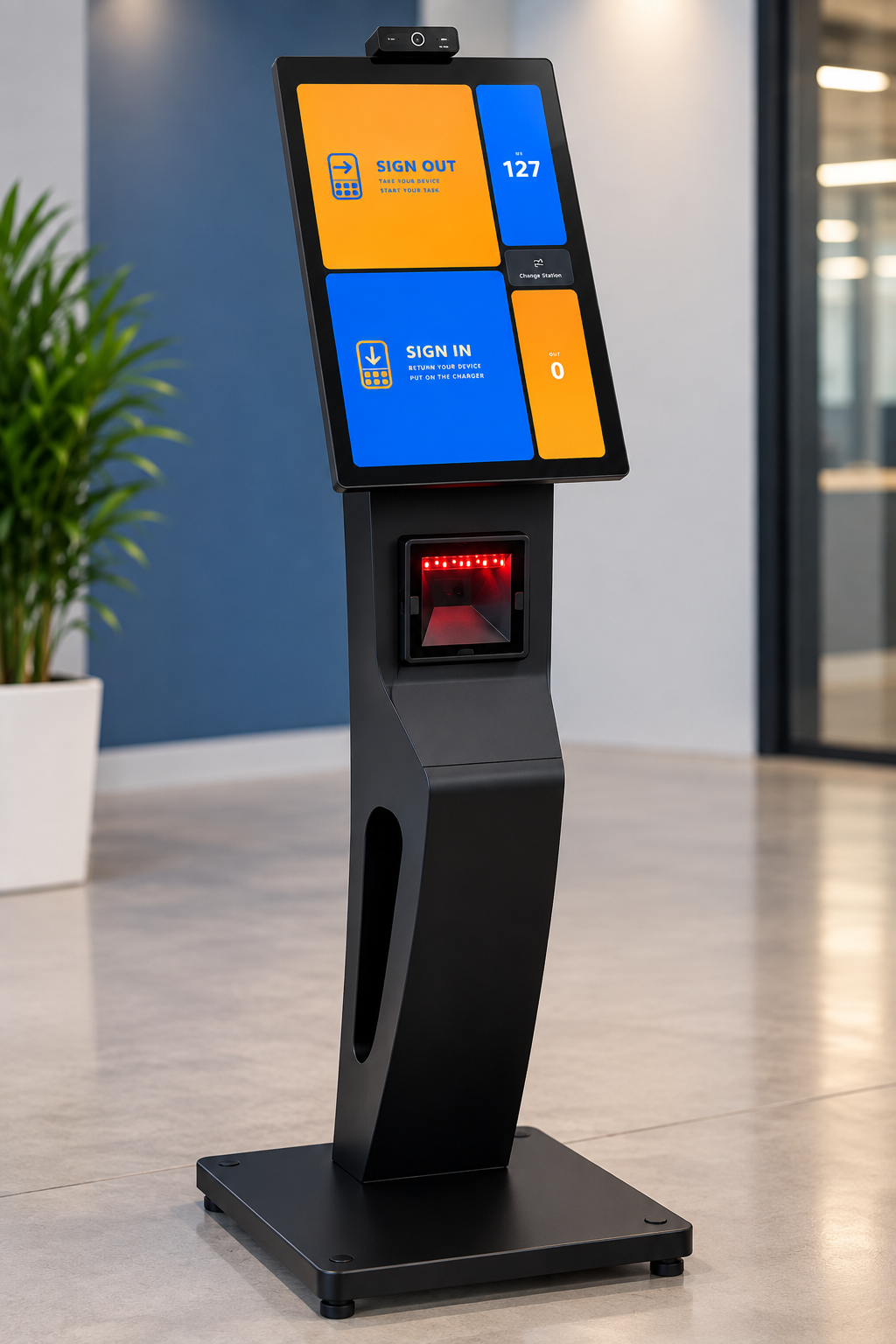
NAKTRAK Floor Stand Kiosk
Full-height floor-standing kiosk designed for high-traffic warehouse entrances and dock areas. Ideal for facilities where employees check devices in and out while standing.
- Full-height standalone unit
- Large touchscreen display
- Built-in camera for photo capture
- Barcode / QR scanner compatible
- Stable weighted base for warehouse floors
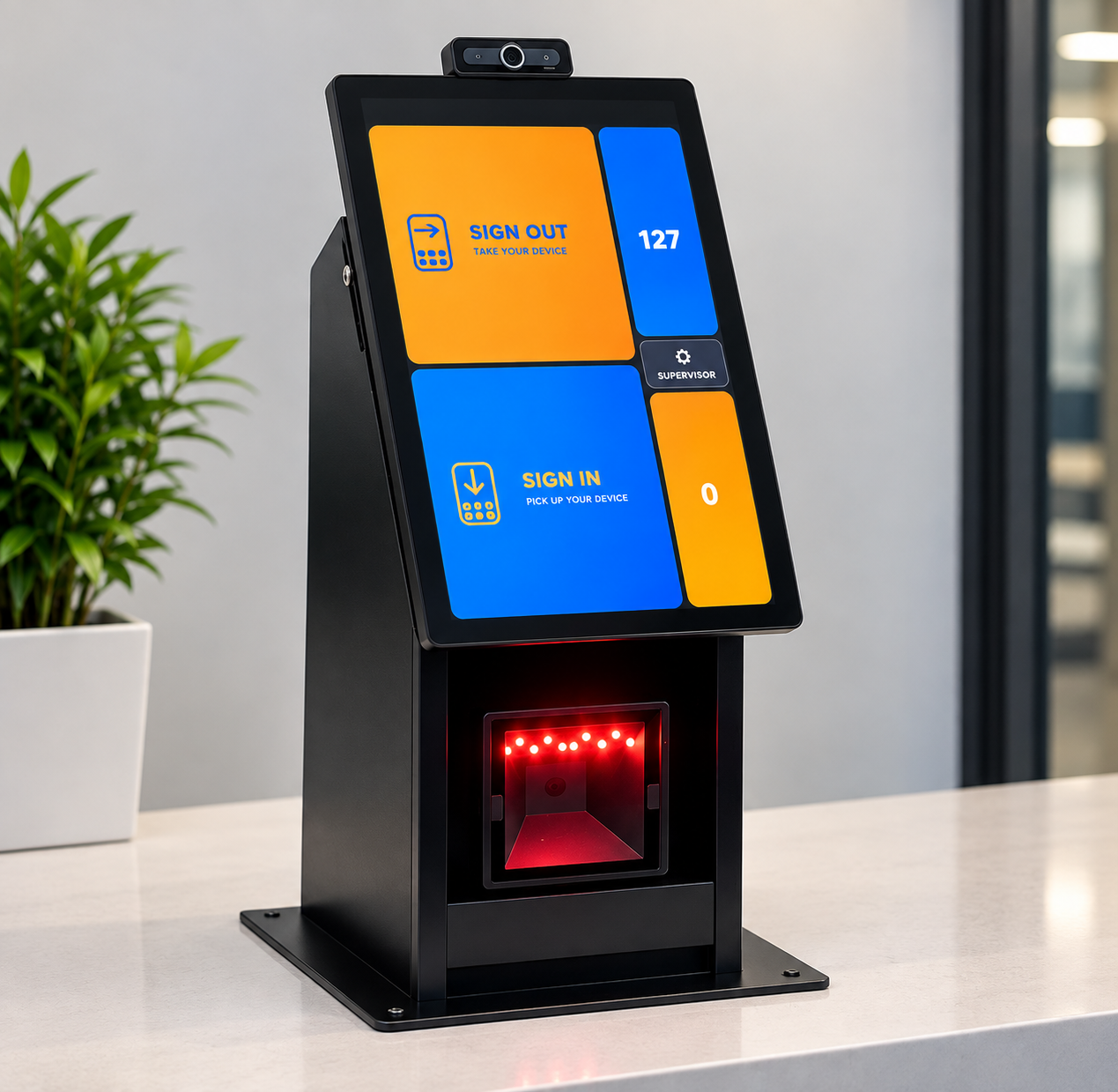
NAKTRAK Counter Stand Kiosk
Compact counter-mounted kiosk designed for supervisor desks, breakrooms, and smaller station areas. Delivers the full NAKTRAK experience in a space-efficient form factor.
- Counter or desk mounted
- Large angled touchscreen display
- Built-in camera for photo capture
- Barcode / QR scanner compatible
- Sleek silver and black finish
Tracks any shared warehouse device
Workflow
Simple for employees. Powerful for supervisors.
- Tap Sign-Out on the kiosk
- Enter or scan employee name / badge
- Scan the device barcode tag
- Camera captures employee photo
- Device shows as OUT in dashboard
- Supervisor can see holder name
- Overdue alert triggers after threshold
- All activity logged with timestamps
- Tap Sign-In on the kiosk
- Scan device barcode tag
- System confirms device returned
- Device status resets to IN
- Filter by station or status
- Identify overdue devices instantly
- Export logs to CSV
- Review photo history per device
Key Benefits
Everything you need for warehouse device accountability.
Prevent Device Loss
Every device is assigned to a named employee at check-out. No more missing scanners at the end of a shift.
Photo Accountability
The kiosk captures a photo of the employee at check-out, giving supervisors a visual record for every transaction.
Fast Shift Transitions
Employees check out a device in seconds by scanning their badge and device tag — no paperwork, no delays.
Real-Time Oversight
Supervisors see live device status across all stations — who has what, for how long, and what's overdue.
Multi-Station Ready
Run multiple kiosks across different stations. All data syncs to a single dashboard in real time.
Easy Admin Control
Upload your device list via CSV, assign stations, and manage your entire fleet from one admin panel.
The NAKTRAK System
Three components. One platform.
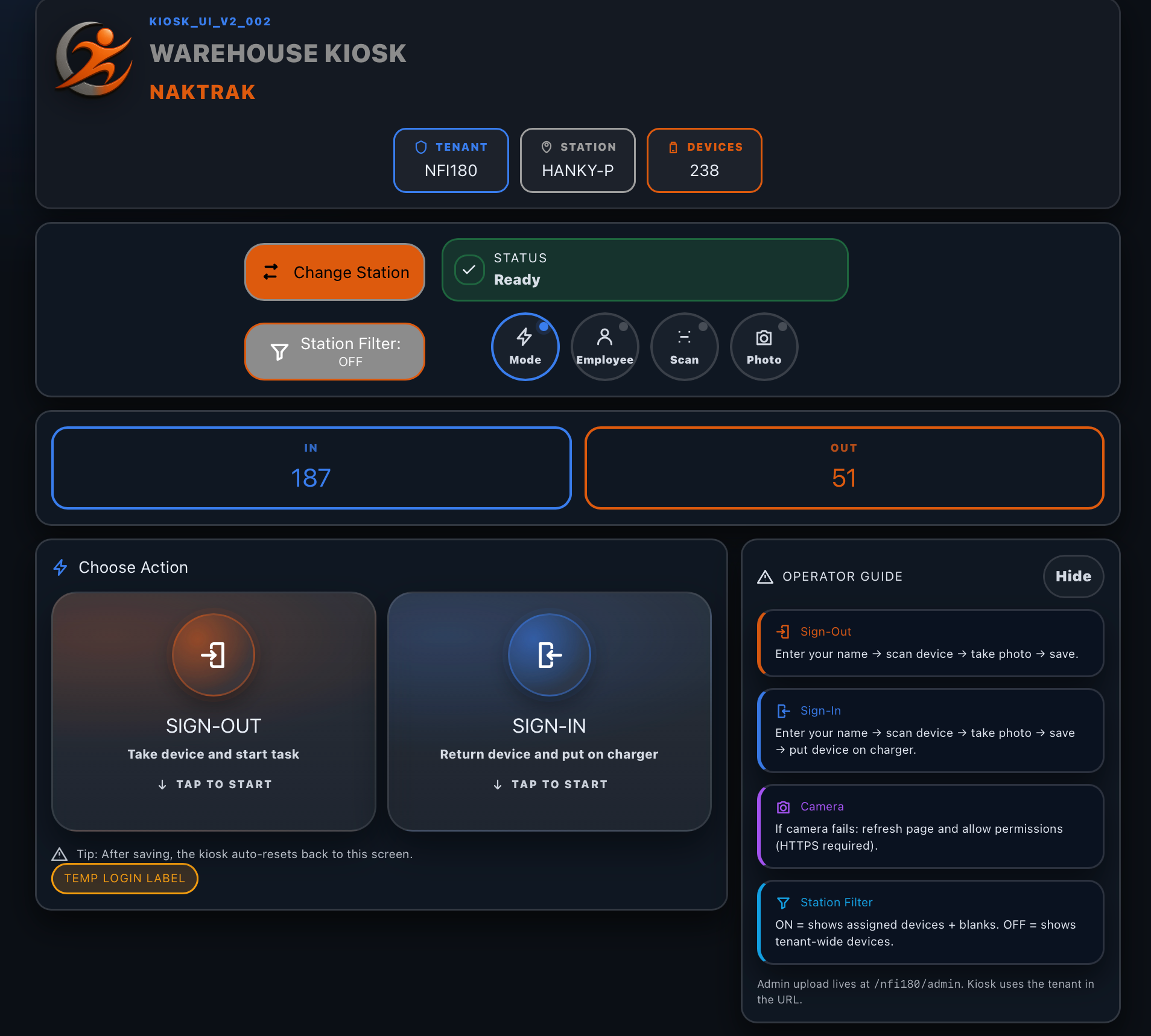
NAKTRAK Kiosk
A self-service touchscreen kiosk for employees to check devices in and out. Captures employee name, device tag, and photo in seconds.
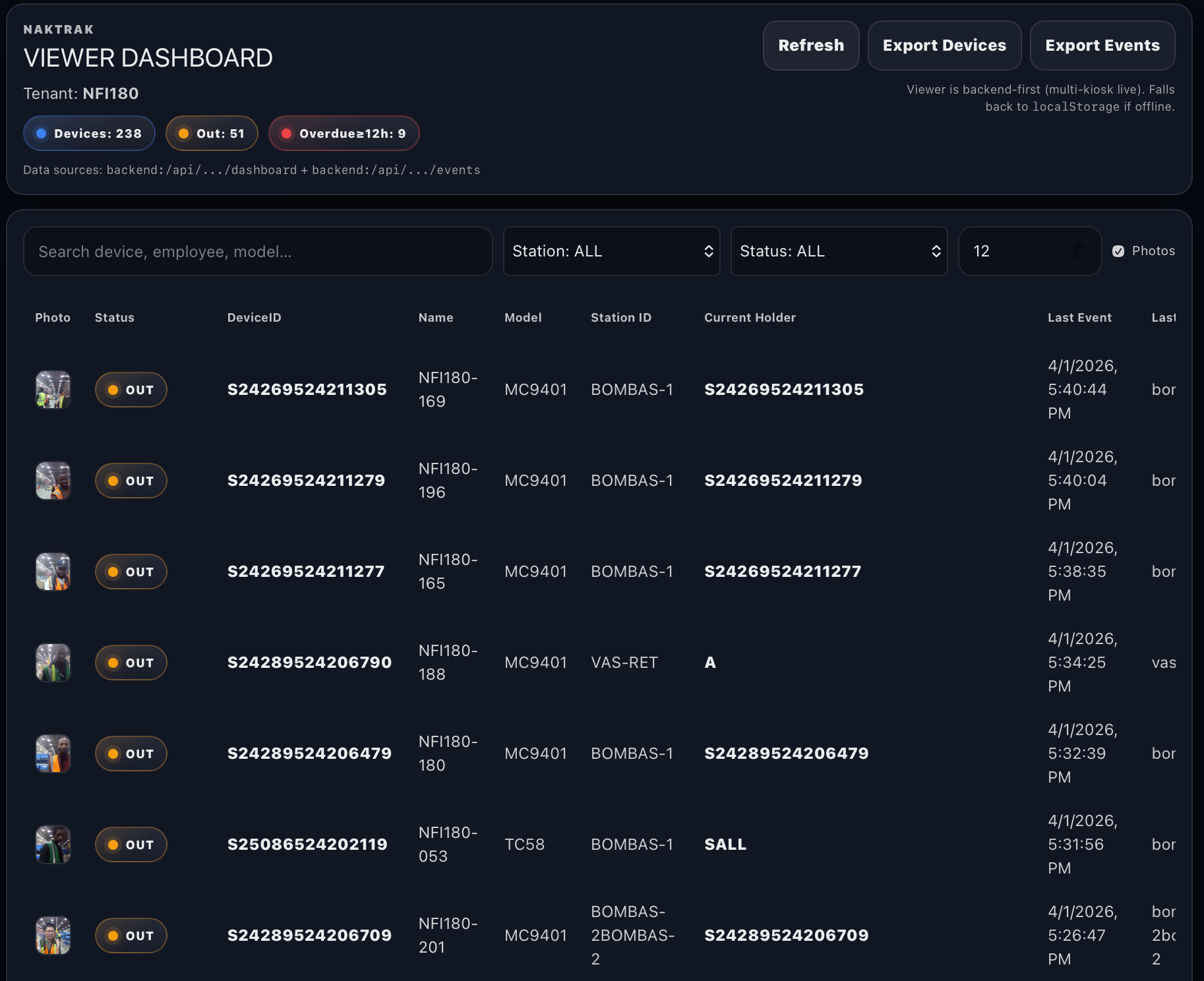
Live Viewer Dashboard
Real-time supervisor dashboard showing every device's current status — IN, OUT, or OVERDUE — with station filters and CSV export.
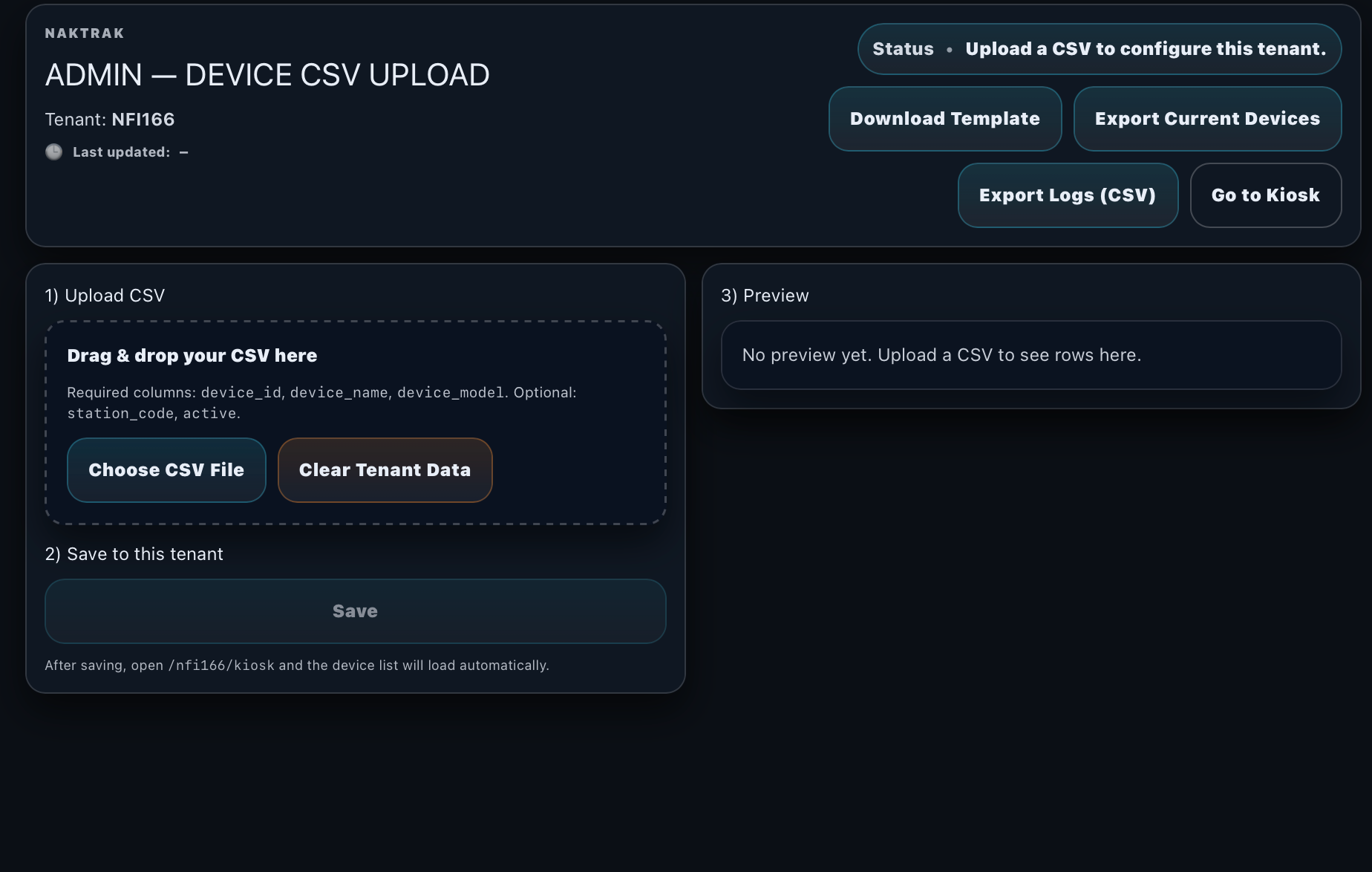
Admin Management Panel
Upload your device list, configure station names, and manage the full tenant setup from a single password-protected admin interface.
Real-Time Device Status
Instant visibility. Zero guessing.
The dashboard provides instant status on every device in your fleet. Supervisors can quickly identify issues and locate devices before they disrupt operations.
Industries & Use Cases
Get in Touch
Request a demo of NAKTRAK.
Talk with us about your warehouse setup, device types, station layout, and deployment goals. We'll find the right configuration for your team.